Bucs are playing today vs Panthers. Do not have much confidence in them winning. Baker Mayfield is back after 3 weeks being out with dislocated thumb wearing a glove on his throwing hand. They are playing in Carolina.
Rays Game 2
Rays took an early lead of 4 runs in the first inning yesterday. Brewers kept chipping away at the lead until they took the lead 4 to 5. Rays had a chance in the 9th to tie it again, but came up short. Disappointing loss.
Rays Game 1
Rays lost to the Brewers 2 to 3. Great game they fought to the end. Tomorrow Rasmussen is on the bump. Rays need to take one away in Milwaukee.
Tampa Bay Rays World Series
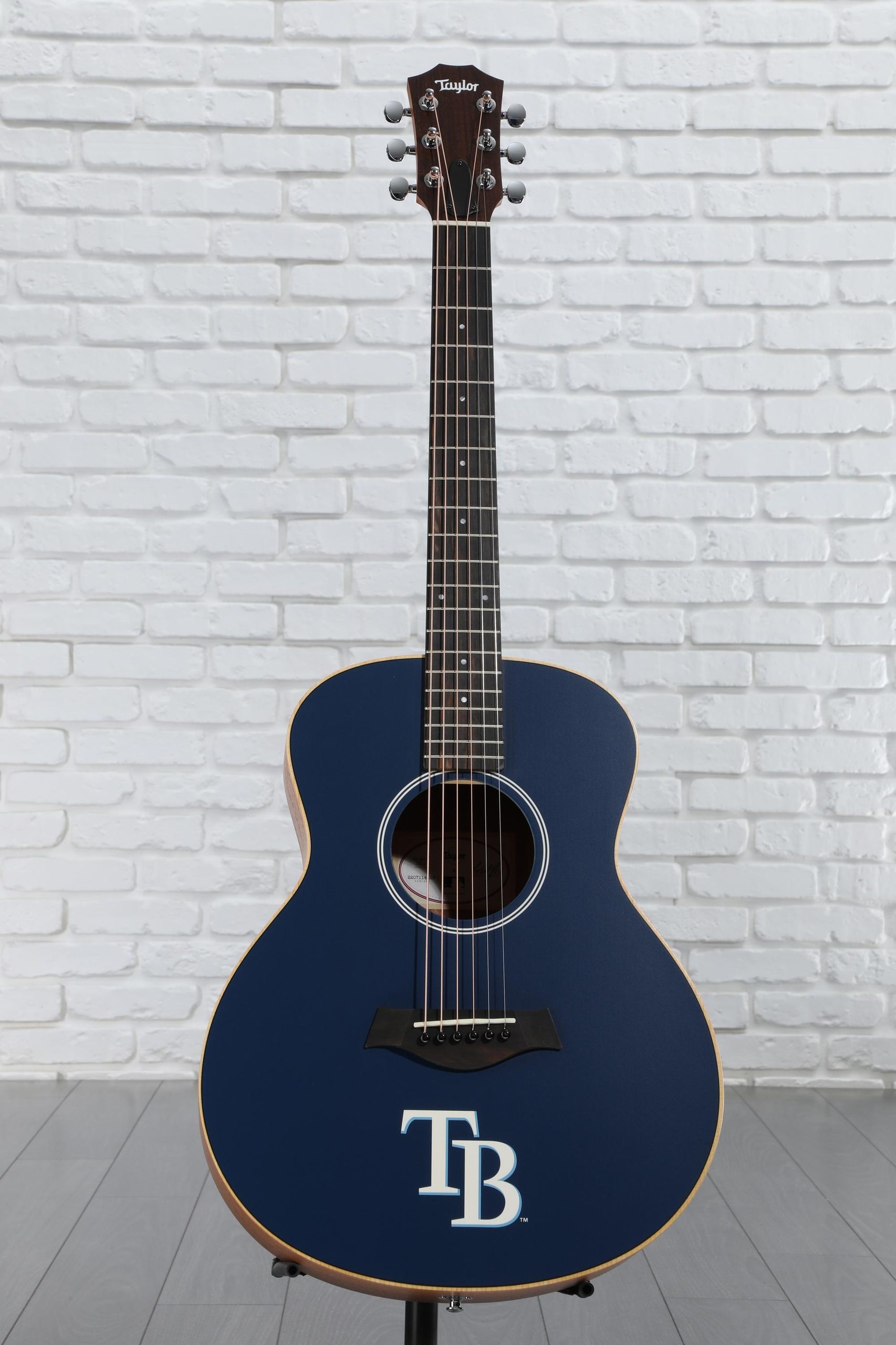
I am so happy that the Rays are in the World Series again. Today is game one against the Brewers. Nick Martinez is in the bump for the Rays. I pick them to win today. I also received today my new Taylor GS Mini MLB Rays Guitar.
StompBoxTober
Premier Guitar is giving away Pedals. 8 Days left. https://www.premierguitar.com/stompboxtober-2026
ShackTV
My father’s neighbor installed ShackTV on my father’s Fire TV Stick. He ordered the service for my father and the neighbor paid with his own credit card $20 for one month. He was also charged $15 for setup/activation fee. My father gave the guy $35 cash. I never heard of paying a setup/activation fee for TV streaming service. This is something that phone and cable companies would do. Usually TV Streaming Services (like Playstation Vue, AT&T TV Now, YouTubeTV, Hulu Live TV, and Sling TV), that you install on Fire TV, Roku, Apple TV, phones and tables, give you a 7 or 30 day free trial and there is no activation fee.
My fathershowed me the app and the User Interface, does not look polished. Mostly some pretty boxes with text in the home screen, then once you start navigating the use interface looks less polished.
I am a software developer and been working with computers, since high school in 1975. Something did not look right. Found several videos about ShackTV on YouTube, all pedaling to different downloads of the apk and different ways of paying.
One video, “DOWNLOAD SHACK TV ON ANDROID & FIRESTICK” from “Solo Man” on youTube https://www.youtube.com/watch?v=fpbjIVxvhl8&t=1s
The link in the video does not work. I used the link from the video notes. This video also said that you could get the App from Google Play Store. This is a better option, since you do not have to enable Developer mode and disable Install from Unknown Souces. This downloaded SHACKTV-RECORDING.apk from the link in the video. I did a “shashum -a 1” against this file to get a checksum of 4d168c0a2c8357b040589e7050a155270ecb1cce. I then went to the google play store on the web and using the apk downloader extension, I downloaded the apk from Google Play Store. The file name for this apk is com-redapp-shacktv1541394000.apk. I then check the check sum for this apk and it matched. I then went to www.virustotal.com and metadefender.opswat.com and scanned the apk for viruses and it was virus free on both sites. This was a good that the apk from the video notes link and Google Play Store are identical and virus free.
My only concerned is on Google Play store the developer link is https://www.shacksystems.com and the link for ordering ShackTV, https://www.shacktvlive.com, in the video are different looking sites.
The https://www.shacktvlive.com (link from video notes) site looks very unpolished and amateurish, when you click on Buy button it gives you a telephone number to call. RED FLAGS everywhere.
The https://www.shacksystems.com link from Developer link on Google Play Store site is selling web hosting. The logo on this site looks like Shack TV’s logo. I could not find where to order ShackTV. I did find mentioning of ShackTV in the knowledge base page. Is this front for some shaky business activities? Is Tony Soprano running this site?
I found another video “How to buy shack Tv” from “The Reviewer 85” on YouTube https://www.youtube.com/watch?v=MrmNMNng9aI on how to buy the TV service from this site using your phone. In this video he is going to the same Developer site from Google Play Store, https://www.shacksystems.com. In the video I can see in the screen recording as he is ordering it says Web Hosting and the voice is saying ShackTV service. This video has RED FLAGS everywhere.
Recently the police in Italy, Netherlands, France, and Bulgaria raided multiple locations and took down the servers for Xstream-codes.com. This IPTV streaming service was serving over 50 million subscribers through many IPTV providers. Now the police have the information for 50 million people the could go after.
Police Shutdown an Illegal IPTV Service With 50 Million Subscribers
Is ShackTV another Xstream-codes.com?
I am going to Mars in 2020
Love my new Samsung UHD Monitor
I got the new Samsung 4K UHD monitor. Went from 1920 x 1200 (2,304,000 pixels) 24″ monitor to 3840 x 2160 (8,294,400 pixels) 28″ monitor.
For example, in Excel on my old monitor I can see 29 columns (AC) to 43 rows or 1,305 cells. Now I can see 59 columns (BG) to 93 rows or 5,487 cells.
Games and videos in 4K look awesome.
PostgreSQL and pgAmin3
I got postgreSQL and pgAdmin3 working on my Ubuntu 12.10 server and got pgAdmin3 connecting to it on Windows.
It took some configuring, since by default is set to listen on localhost.
In the /etc/postgresql/9.4/main folder I had to edit the postgresql.conf and change to listen_addresses = ‘192.168.1.20,localhost’
To edit the file I did:
sudo -u postgres nano postgresql.conf
I also had to edit pg_hba.conf file and add the following line, since I was being denied access.
host all all 192.168.1.20/24 md5
To start the server I did the following:
sudo -u postgres service postgresql start
Got my Ubuntu Linux Computer up and running
I took my old Gigabyte GA EX38-DS4 motherboard, old 8GB DDR2 memory, old Intel Core2 Extreme X9650 3.00 Ghz CPU, my son’s old Cooler Master CM Storm case, my son’s old NVidia GeForce GTX 460 SE, and bought a new Thermaltake Smart 550W Power Supply ($59.99), new ASUS DRW-24B1ST 24X SATA Internal DVD Burner($22.99), and new Western Digital Desktop internal SATA 2TB Hard Drive ($69.99) parts to build my new Ubuntu Linux 14.10 computer to use for development. Total cost $163.68 (152.97 + 10.71 Tax).
I had an old IDE DVD Burner and Seagate IDE 160GB Hard Drive, but I wanted more modern SATA drives. My old Antec 1000W Power Supply (that I dropped about 2.5 months ago) got it working by opening up and when I put the cover back on it stop working. Something is shorting it, but I did not want to take the risk of being shocked.
This system runs great.
I installed Oracle Java 8 JDK u25, Apache Ant, Apache Tomcat, Jetbrains IntelliJ IDEA 14 Ultimate so far.